What is Discord? What is it used for?

Discord is a free communication platform designed to help people talk, chat, and build communities online. It started in 2015 as a voice-chat tool for gamers, but today it’s used by everyone from students and creators to businesses, developers, and online communities.
At its core, Discord combines text chat, voice calls, video calls, and screen sharing in one place. Instead of messy group chats or endless email threads, Discord organizes conversations into servers and channels, making it easy to keep discussions clean and focused.
You can use Discord directly in a web browser, or download apps for Windows, macOS, Linux, Android, and iOS. Basic features are completely free, with optional paid upgrades through Discord Nitro.
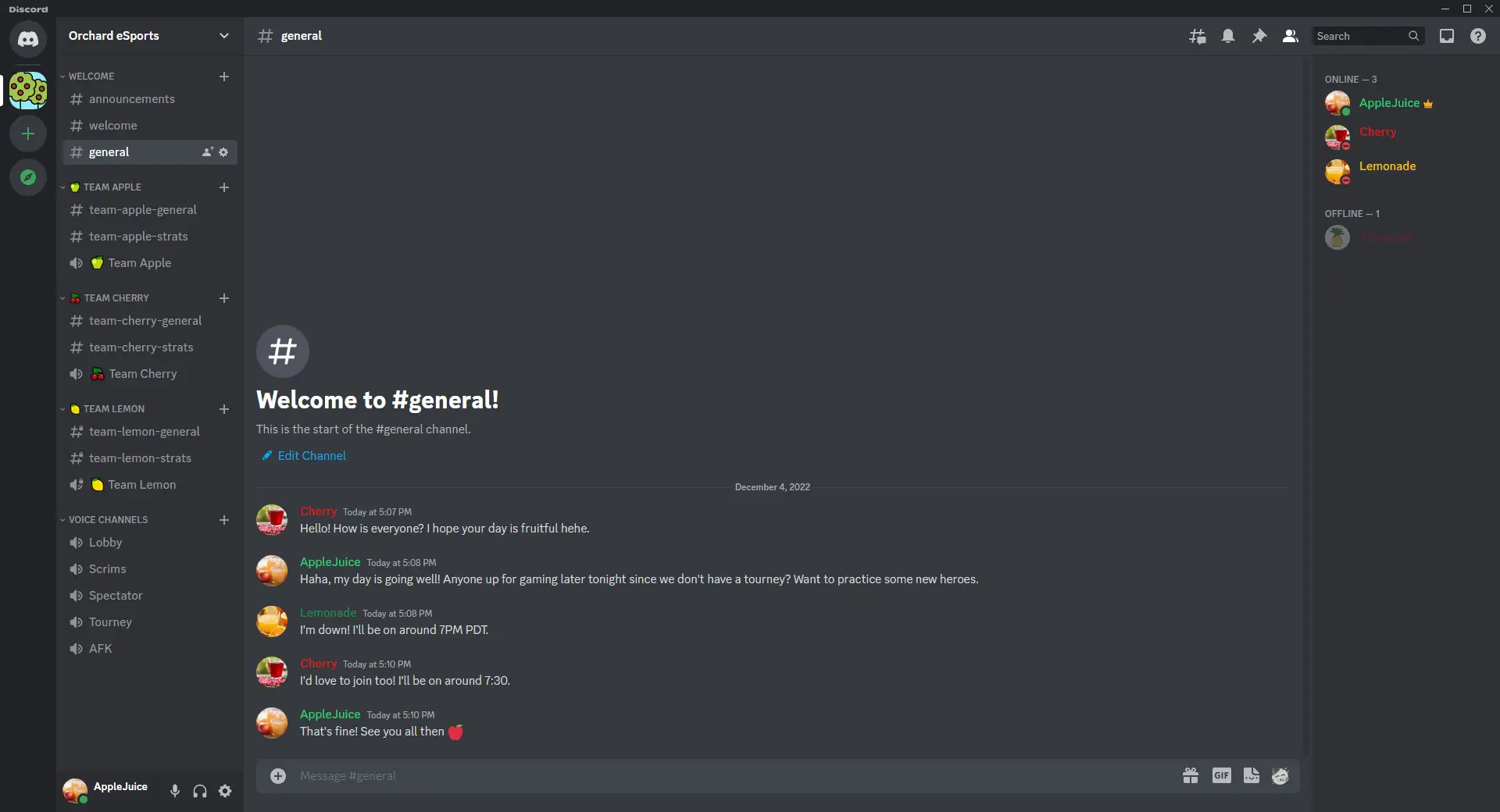
Key Features of Discord
Discord stands out because it’s fast, flexible, and built for real-time communication. Here are its most important features:
1. Servers and Channels
Discord uses servers as dedicated spaces for communities. Inside each server, you can create multiple text channels (for chat, announcements, or topics) and voice channels (for live conversations). This structure keeps everything organized, even for large communities.
2. Voice and Video Calling
Discord offers high-quality voice calls with low latency, making it popular for gaming, meetings, and group discussions. You can also start video calls and switch on screen sharing with just one click.
3. Text Chat and File Sharing
Text channels support rich messaging, emojis, GIFs, stickers, and file sharing. You can upload documents, images, videos, and links perfect for collaboration or casual chatting.
4. Roles and Permissions
Server owners can assign roles with custom permissions. This allows fine-grained control over who can post, moderate, or manage the server. It’s especially useful for large communities and professional teams.
5. Bots and Integrations
Discord supports thousands of bots that automate tasks like moderation, music playback, polls, games, and alerts. You can also integrate tools like YouTube, Twitch, GitHub, and Spotify.
6. Cross-Platform Support
Discord works seamlessly across desktop, mobile, and web. You can start a conversation on your PC and continue it on your phone without missing anything.
Related:
⇒ 30 Discord Keyboard Shortcuts
⇒ 20 Best Discord Alternatives & Competitors
What Is Discord Used For?
Discord is extremely versatile, which is why its user base has grown far beyond gaming.
1. Gaming Communities
Gamers use Discord to chat during gameplay, coordinate strategies, and build fan communities around specific games or streamers.
2. Online Communities and Fan Groups
Creators, influencers, and brands use Discord to run exclusive communities, share updates, and interact directly with fans.
3. Study Groups and Education
Students use Discord for study servers, group discussions, doubt-clearing sessions, and sharing notes. Many teachers and educators also host classes or Q&A sessions there.
4. Remote Work and Team Collaboration
Small teams and startups use Discord as a lightweight alternative to traditional workplace tools. Voice channels, screen sharing, and organized text chats make collaboration easy.
5. Events, Workshops, and Networking
Discord is commonly used for hosting online events, workshops, AMAs, and hackathons, thanks to its real-time interaction features.
Why Is Discord So Popular?
Discord’s popularity comes down to three things: simplicity, flexibility, and community-first design. It’s easy to set up, free to use, and powerful enough for both casual chats and large-scale communities. Whether you want to talk with friends, manage a growing online group, or collaborate with a team, Discord adapts to your needs.
Final Thoughts
Discord is more than just a chat app it’s a community platform that brings people together through voice, video, and text. With powerful features, strong customization, and wide-ranging use cases, Discord has become one of the most popular communication tools on the internet today.